Showing posts with label Apple. Show all posts

Sunday, September 16, 2012

5 Best features of New Apple iPhone 5


Let’s be honest, iPhone 5 is evolutionary, not revolutionary. It’s a clear improvement over the previous model but isn’t a huge leap forward, and in some places it’s just playing catch-up with rival devices.

While my colleague Mihaita Bamburic points out the downsides of the new handset, I’d highlight areas where it shines.

1. Speedier. The new Apple A6 chip is twice as fast as the old iPhone 4S's processor, both in terms of CPU and graphics performance. According to Apple, it will launch apps in around half the time. It’s rumored (and we’ll have to wait to see if it’s true) that the chip runs ARM Cortex A15 cores, beating Samsung to the punch.

2. Larger screen. Yes, fair enough, the new iPhone’s 4-inch screen isn’t as big as the Samsung Galaxy S III (4.8 inches) or the Nokia Lumia 920 (4.5 inches), but still is larger than its predecessor, and in a device that’s 18-percent thinner and 20-percent lighter than, too. In the hands of another company, the resized screen probably wouldn’t be much of a selling point, but Apple’s retooled all its apps, including iPhoto and Garage Band, to really make the most of that additional real estate, and as the old saying goes, it’s not the size but what you do with it that counts.

3. LTE/4G. The phone’s LTE connectivity is hugely welcome and lets you make the most of much faster speeds, provided your carrier offers it. A giant step forward for the iPhone. Yes, Samsung, which owns a large collection of LTE patents, may challenge the new phone, but it’s unlikely to succeed to get the device banned.

4. Better camera. The new iPhone is much thinner, but the camera is just as good, still offering 8 megapixels and 3268 x 2448 resolution.  But it also has some great new features, including a dynamic low-light mode that can deliver up to two f-stops greater performance, combined with a new Image Signal Processor with spatial noise reduction. The camera’s sapphire crystal lens cover produces clearer images and won’t scratch easily. You can instantly share images on social sites using PhotoStream, plus the camera can now take panoramic shots (just like, ahem, the Galaxy Nexus), making it useful for creating cool Facebook cover photos.

5. Additional microphone. iPhone 5 has three microphones -- one built into the bottom, one at the front/top, and one at the back of the device. This helps to ensure good quality audio regardless of whether you're chatting on Facetime, using Siri or recording a video. It will also help with noise cancellation.
I’m not going to pretend iPhone 5 is streets ahead of the competition, but the new improvements do put it back in the race, and for me at least, it’s a solid upgrade that will appeal to many. Plus that aluminum and glass design is really nice…

Saturday, September 15, 2012

Top 5 Alternatives To The Apple iPhone 5


Preorders for the iPhone 5 are underway, and show that despite some disappointment with the device's features (or lack thereof), it's going to be popular. But not everyone likes Apple, iOS, or the iPhone. The good news is the competitive smartphone market offers plenty of alternatives to Apple's latest and greatest.
If you need a new device, consider these top choices from the top five carriers in the U.S.: AT&T, MetroPCS, Sprint, T-Mobile USA, and Verizon Wireless. These devices are available today.

1. AT&T. AT&T is sort of home base for the iPhone because it had an exclusive deal to sell the device until February 2011. But AT&T sells gobs of other smartphones.
The HTC One X, though a few months old, is still my top choice of smart devices from AT&T. In fact, it is my daily driver. Everything about the One X is fantastic, from the look and feel, to the performance and features. It has a large HD display, excellent 8-megapixel camera, and, of course, LTE 4G. It's also a steal at $99.

2. MetroPCS. MetroPCS is the country's fifth largest wireless network operator and offers prepaid service. That means you might pay a little bit more for the phone up front, but you'll more than make up for it with cheaper service.

The LG Motion 4G is an excellent choice. It runs Android 4.0 Ice Cream Sandwich and comes in a compact little shell. It has a 3.5-inch screen, a 5-megapixel camera with 1080p HD video capture, a dual-core 1.2-GHz processor, and, of course, LTE 4G. The best part? It costs only $149 and doesn't require a contract.

3. Sprint. Sprint, number three in the market, is fighting its two larger rivals with everything it's got. The result? Its plans offer a lot of value--such as unlimited data--and a clean conscience, thanks to its environmentally friendly efforts. Its LTE 4G network is just getting underway, but it already has a few solid choices.

The Motorola Photon Q, for example, is a great alternative to the iPhone 5 for Sprint customers. It runs the latest version of Android, offers a slide-out QWERTY keyboard, a dual-core processor, and an 8-megapixel camera. The screen looks great, and performance of this device is top-notch. It costs $199 with a new contract.

4. T-Mobile USA. T-Mobile is the fourth-largest network operator in the U.S. and doesn't yet offer LTE 4G. It will next year. In the meantime, it has a ripping fast HSPA+ network.

The Samsung Galaxy S III performs very well on T-Mobile's HSPA+ network. The GS3 is one of the best Android 4.0 smartphones available and offers plenty of advanced features. It has a luscious 4.8-inch display, powerful 8-megapixel camera, capable dual-core processor, and plenty of software goodies. It's a bargain at $199.

5. Verizon Wireless. Verizon is the largest operator in the U.S. at the moment and offers a broad array of smartphones. Its LTE 4G network is the most pervasive and very fast.

The brand-new Motorola Droid Razr M is an impressive addition to Verizon's lineup. Motorola took everything that was attractive about last year's Razr and made it smaller. The Razr M might be billed as a mid-range device, but don't let its $99 price fool you. It's the best phone Motorola has delivered this year. It has a 4.3-inch screen, 8-megapixel camera, Android 4.0, and a raging dual-core processor.

Down the road, there will be other phones to consider, but we don't know when they will be available. The Nokia Lumia 920, for instance, looks like it will be a good smartphone alternative to the iPhone 5, but it probably won't be available until November. Same goes for the Samsung Galaxy Note 2. This follow-up phablet is like a GS3 on steroids, and the 5.5-inch screen offers an amazing canvas on which to scribble notes with the S Pen stylus. Late October is the earliest the Note 2 will reach the U.S. No carriers have announced support for these devices yet, so it is unclear where they will be sold.

Tuesday, August 14, 2012

RealPlayer for Android - APK - Free Download


RealPlayer, the popular media player for music, video and photos provides features allowing you to customize your music listening experience. Supported in 9 languages, popular features include an intuitive user interface, widgets, equalizer, lastFM scrobbling, metadata editing, optimized graphics for high-res devices and more, so you can listen to music your way. This all-in-one player is brought to you by RealNetworks, dedicated to bringing you the ultimate media experience.

RealPlayer Features – available with the free RealPlayer app
• Music, videos and photos all in one place
• Available in nine languages
• Optimized graphics for high-res devices
• Playlists
• lastFM scrobbling
• Voice commands for search
• Control playback when phone is locked
• Sharing on popular social media sites
• Move application to SD card
• Set your favorite song as a ringtone
• Headphones controls
• Auto bookmarking of videos
• Home screen widgets to control media
• Access any file format your device supports
Additional Features – available through an in-app upgrade
• Graphic equalizer with ability to save custom settings
• Metadata discovery using the Gracenote database
• Manual metadata editing
• Cross fading for a seamless music experience
• RealAudio and RealVideo (rmvb) support
• No advertisements

Download link
 RealPlayer

Thursday, August 2, 2012

Mikogo Desktop Sharing - The Best Application for Online Meetings and Remote Support


Have you ever found yourself needing to conduct an online meeting but didn’t know what your best option was? Do you often times find yourself doing IT support for your parents from miles and miles away, only to get frustrated with their ineptitude? Mikogo is a desktop sharing and online presentation tool that is helping to facilitate the everyday business and technology needs of companies and individuals worldwide.

Conferencing

               Mikogo has a convenient and user friendly approach to desktop sharing. For starters, users can sign up for a free account that will allow them to use all of the pro features. Within that, users can edit their profile settings, schedule sessions and use advanced tools (whiteboard, record, etc.). And on the other hand, if you don’t need the advanced features you can just download the software for free to start and join desktop sharing sessions – no registrations required for that.

Desktop Sharing
               Users can share their desktops with up to 15 people (25 on a pro+ account). This can come in handy for online webinars, tutorial sessions, online teaching, IT tech support, and more. Desktop sharing features can be edited at will and include options to view, show, and view & control the desktop’s of you and your participants.
               Remote control features will also allow users to control the screen of the participants for IT or assistance purposes.

               From there you can use presentation tools like the participant pointer and pen to highlight your content and material. You can transfer files, record your desktop sharing sessions for future playback, and switch presenter and viewer modes between participants.

Mikogo Apps: iOS and Android
               Mikogo works on all 3 platforms (Windows, Mac & Linux) but what’s really nice to see is they have mobile apps:iOS and Android. Here is a statement from Mikogo released shortly after: “The core benefit of online meetings is that they allow people to participate in business meetings when unable to attend in person. In recent years there has beena growing and strong tendency towards technology ‘going mobile’ hence people want to be able to attendtheir online meetings while on the go.” (Mark Zondler, Mikogo). The app is free and can be accessed from your iphone, ipad, or Android phone/tablet.


For more information about Mikogo please visit www.mikogo.com and to download, go straight to www.mikogo.com/download.

Sunday, July 8, 2012

Next iPhone can also be a bracelet

iPhone 5 Bracelet Looks Out of this World


How do you feel when there’s something resembling a bug or a spider attached to your hand and functioning like a phone? While it may sound creepy at first, this is what Federico Ciccarese proposes for his latest design: some sort of bracelet phone acting as the iPhone 5 of the moment.

Since we have no specifications, allow me to speculate: for starters the metal legs that wrap around your hand shouldn’t heat easily and they should be light, maybe some sort of aluminium. Also, the screen would be flexible and very resilient, probably with a 3 inch diagonal or close to that and HD resolution. Inside there should be a dual core CPU, the A5X, enough for processing data on such a small device. There’s also a Facetime camera on board and a version of iOS 6.0 for smaller screens.

There’s also a phone feature as shown here and the brand new Apple Maps. The maps area has a 3D option and it looks very appealing on this iPhone 5 bracelet concept. From what I’ve seen so far online, this project has many haters. Open your minds people! Simply imagine if this were real how different the approach to normal phones would be. A couple of years ago the Google Glasses could have seemed silly, now everyone is going crazy about them. Why shouldn’t the Apple Bracelet make it big?

iPhone 5 Bracelet Looks Out of this World

Wednesday, July 4, 2012

Control your Android mobile or tablet with MULTITOUCH gestures like iPad


Control tablet with MULTITOUCH gestures like iPad. Hide status bar in all apps.
Control device with MULTITOUCH and MULTITASK gestures similar to iPad. Works in all applications. You can even hide status bar and enjoy full screen in your favorite games or while browsing.

This is Lite version of GMD GestureControl.
★ Try Lite version before you buy
★ Requires root access
★ USB Debuging must be enabled in Android setting
★ Multitouch
★ Multitask - start any application, shortcut or custom action without leaving current application
★ Custom actions - LaunchPad, Start application, Previous Application, Next application, Home, Kill current application, Back, Forward, Recent application list, Recent application dialog, Menu, Notification Panel, Hide/Show status bar, Start launcher shorcut(bookmark, contacts, settings, etc), Start Tasker task, Pause gestures, Exit, Screen Off (lock)

★ Swipe 4 fingers right - open previous application
★ Swipe 4 fingers left - open next application
★ Expand 4 fingers - LaunchPad (similar to SwypePad, start any application, shortcut or custom action)
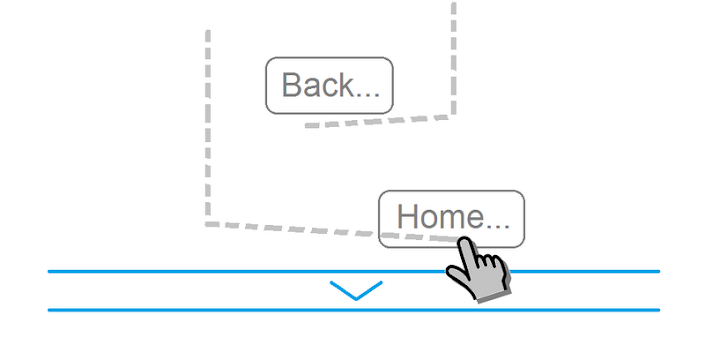
★ Pinch 4 fingers - Home gesture
★ Swipe 3 fingers down - Back gesture
★ Swipe 3 fingers up - Hide/Show status bar (ICS is in Alfa stage)
★ Custom gestures - create your own gestures to start any application, shortcut or custom action


Download