Showing posts with label pc games. Show all posts

Sunday, August 12, 2012

Play your PC Games on your Android Phone/Tablet.


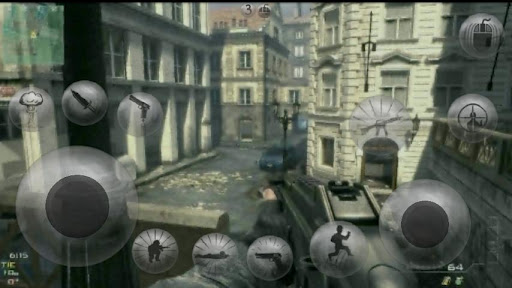
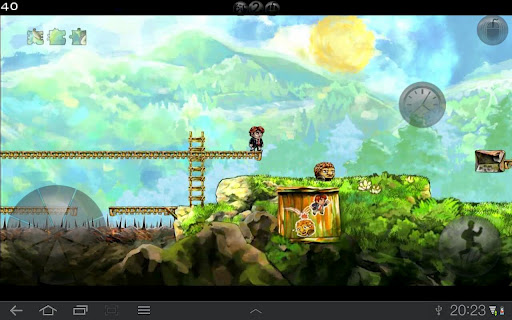
This could be made possible with the help of an Android App called Kainy.

Kainy is a remote desktop oriented for Gaming and Performance.

Stream your games from your PC into your Phone/Tablet.

Play your PC Games Everywhere (Wifi/3G/4G).

- HD/native resolution (8 qualities).
- About 100 Preset Templates for Controls and UI.
- Up to 60 fps.
- Customize your Interfaces (Buttons and Controls).
- Apply your Custom Pages (Interfaces) for each of your Games/Applications.
- Use Accelerometer to control your Games.
- Support Fullscreen, Sounds, Bluetooth Keyboard...
- Authentication/Data encryption in 128 bits.
- Use Kainy as Game Controller.
- Optimized for Neon, Tegra2 and Tegra3.


Download link
Kainy 

 For Free Download link comment below

Saturday, August 11, 2012

Crysis 3 - Assess. Adapt. Attack. Get Revenge on PC , Xbox, PS3 - Coming Soon


The award-winning developer Crytek is back with Crysis 3, the first blockbuster shooter of 2013! Return to the fight as Prophet, the Nanosuit soldier on a quest to rediscover his humanity and exact brutal revenge. Adapt on the fly with the stealth and armor abilities of your unique Nanosuit as you battle through the seven wonders of New York’s Liberty Dome. Unleash the firepower of your all-new, high-tech bow and alien weaponry to hunt both human and alien enemies. And uncover the truth behind the death of your squad while reestablishing the power of human will in a rich story full of exciting twists and turns. Crysis 3 is the ultimate sandbox shooter, realized in the stunning visuals only Crytek and the latest version of CryENGINE can deliver. Assess Adapt, and Attack starting spring 2013 on Xbox 360, PlayStation 3, and PC.

 Features


  • Seven Wonders of the Urban Rainforest – New York City has been contained in a giant nanodome and grown into a unique rainforest with seven distinct environments. Master the ultimate sandbox and turn it into your own personal hunting ground.
  • Assess, Adapt, and Attack – Crysis’s highly-acclaimed sandbox gameplay is back with more open levels to let players choose their path and approach. Your upgraded Nanosuit allows brute force or stealth, always giving you more than one option.
  • Expanded Multiplayer – Experiment with new ways to customize your Nanosuit and brandthe new game modes.
  • The Biggest and Most Explosive Arsenal in Franchise History – In addition to giving you an arsenal of human firearms, Crysis 3 lets you scavenge alien weapons and deploy an all-new signature bow
  • The Evolution of CryENGINE – CryENGINE unleashes the power of the Crytek creative team and delivers a visually stunning and varied gameplay experience.

Tuesday, July 31, 2012

A Complete Guide about DirectX


Ever wondered just what that enigmatic name means?


Gaming and multimedia applications are some of the most satisfying programs you can get for your PC, but getting them to run properly isn’t always as easy as it could be. First, the PC architecture was never designed as a gaming platform. Second, the wide-ranging nature of the PC means that one person’s machine can be different from another. While games consoles all contain the same hardware, PCs don’t: the massive range of difference can make gaming a headache.


To alleviate as much of the pain as possible, Microsoft needed to introduce a common standard which all games and multimedia applications could follow – a common interface between the OS and whatever hardware is installed in the PC, if you like. This common interface is DirectX, something which can be the source of much confusion.

DirectX is an interface designed to make certain programming tasks much easier, for both the game developer and the rest of us who just want to sit down and play the latest blockbuster. Before we can explain what DirectX is and how it works though, we need a little history lesson.


 DirectX history

Any game needs to perform certain tasks again and again. It needs to watch for your input from mouse, joystick or keyboard, and it needs to be able to display screen images and play sounds or music. That’s pretty much any game at the most simplistic level.

Imagine how incredibly complex this was for programmers developing on the early pre-Windows PC architecture, then. Each programmer needed to develop their own way of reading the keyboard or detecting whether a joystick was even attached, let alone being used to play the game. Specific routines were needed even to display the simplest of images on the screen or play a simple sound.

Essentially, the game programmers were talking directly to your PC’s hardware at a fundamental level. When Microsoft introduced Windows, it was imperative for the stability and success of the PC platform that things were made easier for both the developer and the player. After all, who would bother writing games for a machine when they had to reinvent the wheel every time they began work on a new game? Microsoft’s idea was simple: stop programmers talking directly to the hardware, and build a common toolkit which they could use instead. DirectX was born.


How it works..??

At the most basic level, DirectX is an interface between the hardware in your PC and Windows itself, part of the Windows API or Application Programming Interface. Let’s look at a practical example. When a game developer wants to play a sound file, it’s simply a case of using the correct library function. When the game runs, this calls the DirectX API, which in turn plays the sound file. The developer doesn’t need to know what type of sound card he’s dealing with, what it’s capable of, or how to talk to it. Microsoft has provided DirectX, and the sound card manufacturer has provided a DirectX-capable driver. He asks for the sound to be played, and it is – whichever machine it runs on.

From our point of view as gamers, DirectX also makes things incredibly easy – at least in theory. You install a new sound card in place of your old one, and it comes with a DirectX driver. Next time you play your favourite game you can still hear sounds and music, and you haven’t had to make any complex configuration changes.

Originally, DirectX began life as a simple toolkit: early hardware was limited and only the most basic graphical functions were required. As hardware and software has evolved in complexity, so has DirectX. It’s now much more than a graphical toolkit, and the term has come to encompass a massive selection of routines which deal with all sorts of hardware communication. For example, the DirectInput routines can deal with all sorts of input devices, from simple two-button mice to complex flight joysticks. Other parts include DirectSound for audio devices and DirectPlay provides a toolkit for online or multiplayer gaming.


Diagnosing problems

Diagnosing problems with a DirectX installation can be problematic, especially if you don’t know which one of the many components is causing your newly purchased game to fall over. Thankfully, Microsoft provides a useful utility called the DirectX Diagnostic Tool, although this isn’t made obvious. You won’t find this tool in the Start Menu with any version of Windows, and each tends to install it in a different place.

The easiest way to use it is to open the Start Menu’s Run dialog, type in dxdiag and then click OK. When the application first loads, it takes a few seconds to interrogate your DirectX installation and find any problems. First, the DirectX Files tab displays version information on each one of the files your installation uses. The Notes section at the bottom is worth checking, as missing or corrupted files will be flagged here.

The tabs marked Display, Sound, Music, Input and Network all relate to specific areas of DirectX, and all but the Input tab provide tools to test the correct functioning on your hardware. Finally, the More Help tab provides a useful way to start the DirectX Troubleshooter, Microsoft’s simple linear problem solving tool for many common DirectX issues.

Śιgηє ßÿ :    RK

FOR MORE GO HERE : www.geeksarea.blogspot.com 

Wednesday, June 20, 2012

Resident Evil 6 - The Horror is BACK


When you talk about Resident Evil, you’re talking about a series that has literally defined two genres. The first game practically created the survival-horror genre, while RE 4 set new standards for the third-person shooter. It’s about as venerable as gaming gets. So whenever Capcom starts talking about a sequel, the gaming world sits up and listens, very very closely.

With the latest edition of the franchise just a couple of months away, the buzz around the game is huge, as everyone clamours to get a peek at what surprises Capcom has in store. And perhaps the biggest (and most welcome) of them all is that Resident Evil 6 is going back to its roots. Yes, the zombies are back, and it’s seems damn scary.

RE 6 will feature of a slew of cast members, including favourites Leon S. Kennedy and Chris Renfield, as well Sherry Birkin from RE 2, and introduces Jake Muller to Resident Evil’s already burgeoning cast. The game will essentially consist of three interlinking stories, and like previous titles will have the primary protagonist, namely Leon, Chris and Jake, teamed with an A.I. controlled partner, being Helena Harper, Sherry Birkin and Piers Nivans respectively, though drop-in co-op will be available.

With a revamped control scheme, and being nearly three times the length of RE 5, Resident Evil 6 is likely to be Capcom’s biggest title to date. It’s looking gorgeous as hell, and should delight fans of the series with a welcome return to form. It should, at least, be better than Operation Raccoon City...

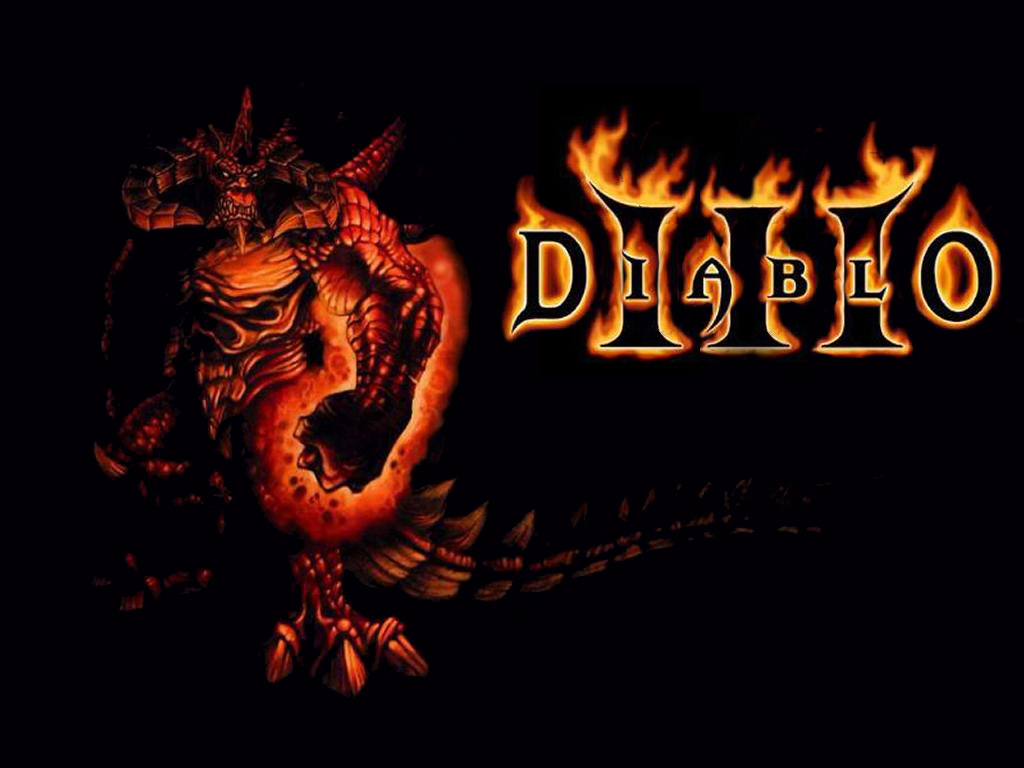
Diablo III: Game review


The epic fantasy genre has matured in the last decade, thanks to writers like "Game of Thrones" mastermind George R.R. Martin who are less interested in the eternal conflict between good and evil than in the gray areas in between. Video games have followed suit, with ambitious adventures like "Dragon Age: Origins," ''The Witcher II" and "The Elder Scrolls V: Skyrim" refusing to define their heroes and villains so neatly.

So when "Diablo III" (Blizzard, for the PC/Mac, $59.99) arrived with the tag line "Evil Is Back," it was hard not to look at it as a throwback of sorts. You know who the troublemakers are in this game: They have red skin, glowing eyes and razor-sharp horns. It's the devil you know.

That's not the only thing that will make players wonder where the developers have been since "Diablo II" came out in 2000. The topdown, god's-eye perspective takes some readjustment after years of battling from protagonist's point of view. Forget about the open-world exploration of "Skyrim"; "Diablo III" is relentlessly linear. And the combat, at the default setting, rarely demands more than hacking and slashing your way through hordes of easily dispatched monsters.

And yet, "Diablo III" is nearly irresistible.

You start by choosing a character from one of five archetypes: the barbarian and monk, who fight up-close; the demon hunter, who uses long-range weapons; and the wizard and witch doctor, who wield magic. After a brief video setting up the tale - a falling star has crashed into the human world, Sanctuary - you're thrust into the fray.
Once you get into its rhythm - fight, collect your rewards, take a breath before the next fight - "Diablo III" is very hard to shut down. Much of that is due to the uncomplicated controls: You can perform most movement and combat functions by just clicking the mouse keys. I wouldn't be surprised if there's an upswing in carpal tunnel syndrome cases a few months from now.

There's also a desire to keep playing just to see what's around the next corner of the dungeon or over the next dune in the desert. And for many "Diablo" aficionados, that boils down to loot. Every monster you kill coughs up something - a few gold coins, perhaps, or a chunk of armor. Tougher creatures tend to yield more exotic rewards, but the process is randomized, so you never know what you'll get.

When you get back to town, you can sell whatever you've gathered and use the cash to upgrade your weapons and armor. Or you can trade them with other players in an online auction house. Or you can ask the blacksmith to break down items and use the components to build better ones - so you can defeat stronger enemies, which earns you more valuable stuff. The whole loot-collecting feedback loop is as insidiously addictive as anything in games.
The most irritating element of "Diablo III" is the need to have a steady online connection, even if you're traveling solo. The online requirement led to chaos when the game was first released, as Blizzard's servers weren't able to meet 12 years of pent-up demand. The situation has been mostly resolved, but there have been a few recent occasions when I wasn't allowed to log on.
The always-connected environment does let you tackle any of the game's missions with the help of online friends or strangers. The difficulty automatically increases with multiple players, and it's fun to chat with other humans in the wastelands of Sanctuary, but the experience isn't radically different.
After one prolonged session of monster slaying, as the clock approached 4 a.m., a supporting character asked my demon hunter: "Do you ever become weary of strife? Of constant fighting?"
His response: "Rest is a luxury I cannot afford." You'll feel the same way after a few hours of "Diablo III." Three stars out of four.